

Business users create solutions with PowerForm. They simplify the process, prevent errors and improve productivity. There is no need for front-end data entry applications and back-end data integration.
Create solutions
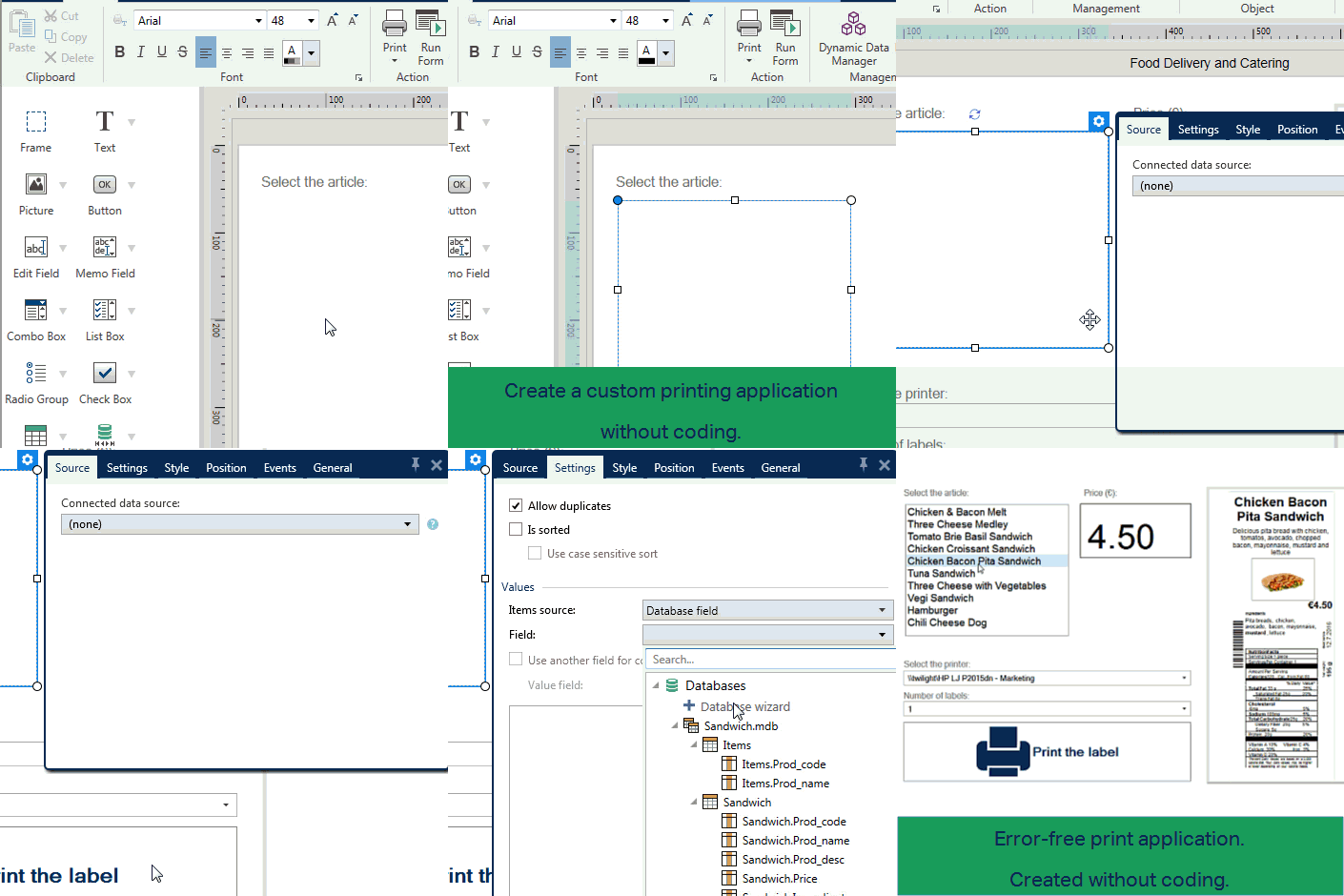
Operators can initiate printing with a scan or a touch. Data entry is the minimum necesary to retrieve data from the business syste. A visual check of the label image helps to avoid mis-labelling. No more guesswork.
Label selection · Data entry
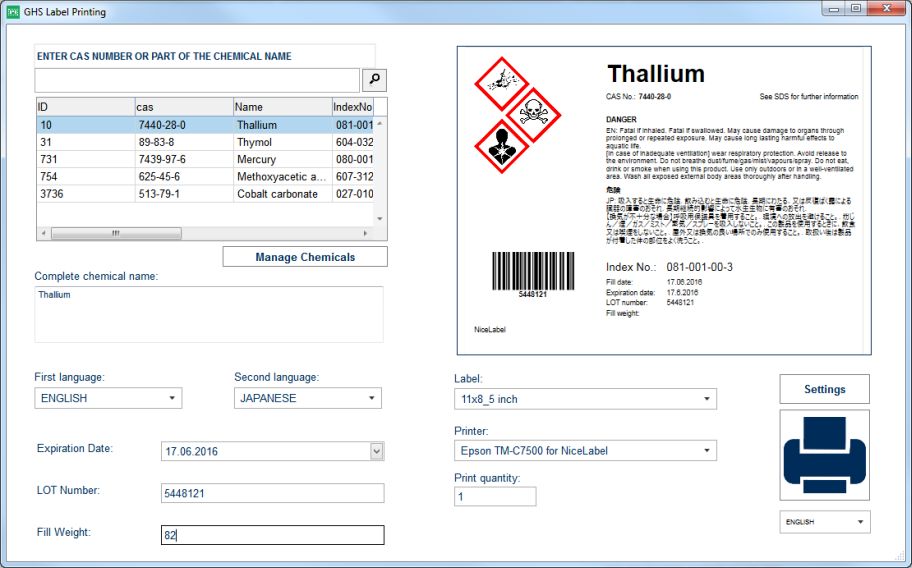
Results
- Simplified process for new operators.
- Data from a database.
- Secure label templates and label content.
- Custom forms do what you want.
- Touchscreens replace keyboads.
- Icons replace text and buttons.
- Real-time preview helps avoid mistakes.
NiceLabel 2017 · PowerForms features
| GENERAL | |
|---|---|
| Single user workstation: unlimited printers | |
| Multi-user: 3 · 5 · 10 printer licences | |
| 20 User interface Languages | |
| Accepts and prints data in any language - Unicode data support | |
| Installs side-by-side with previous NiceLabel editions for controlled migration | |
| Certified and compatible systems: Vista/Windows 7/Windows 8/Windows 8.1/Windows 10 |
New |
| Extensive contextual help with inline tips to empower business users | New |
| Free phone and e-mail technical support for software evaluation and registered users | New |
| Intuitive Office 2016 style user interface | New |
| Single straightforward installer for 32 and 64 bit environments | New |
| TEMPLATE DESIGN | |
|---|---|
| Automatic check digit calculation | |
| Customizable "human readable" character template | |
| More than 70 linear and 2D barcode symbologies with support for printer-based barcodes | |
| Place "human readable" text anywhere in relation to barcodes | |
| Print objects in reverse/negative: white on black | |
| Text, barcodes, lines, boxes, circles, clip art, images and PDF files | |
| Windows system and built-in printer fonts support | |
| Intuitive GS1 Application Identifier Data Source Wizard | New |
| Label setup wizard for quick start with best printing quality and performance | New |
| Object alignment tools with snap-to-objects and arbitrary rotation of all objects | New |
| Unlimited undo and redo commands | New |
| DESIGNER PRO adds | |
| Fit-text-to-box (dynamic point size) | |
| Relative object positioning and variable label length | |
| Security: lock label design with a password | |
| Text on ellipse | |
| Wrap-text-to-shape (word-wrapping and text justification to non-rectangular shapes) | |
| Extensive RFID support | New |
| Library of ready-to-use international standards compliance label templates | New |
| Object printing based on dynamic data (business rules) | New |
| Rich text object including powerful editor with support for tables and more | New |
| DYNAMIC DATA | |
|---|---|
| Date and Time fields sourced from PC or Printer | |
| Decimal counters | |
| Keyboard or scanner input at print time | |
| Print data from Excel and text files | |
| Edit database connected documents without accessible database (offline mode) | New |
| DESIGNER PRO adds | |
| 10+ prebuilt functions for efficient data concatenation and processing | |
| Custom SQL database queries | |
| Full database connectivity to almost any existing database | |
| Full serialization including support for printer-based serial numbers | |
| Variable graphic fields including graphics sourced from database | |
| VBScript and Python scripting for custom data processing | |
| Import and Export Dynamic data definitions | New |
| Reusable connections to multiple databases and tables within the label or solution | New |
| Single screen for straightforward management of dynamic data (Dynamic Data Manager) | New |
| ON-DEMAND PRINTING AND PRINT PRODUCTIVITY | |
|---|---|
| Customizable data-entry filters and error checking | |
| Auto-built, all-in-one printing form with data entry controls and dynamic print job preview | New |
| Print time database record selection on a single screen | New |
| Secure operator environment for efficient document selection and printing (NiceLabel Print) | New |
| Single click creation of shortcuts for printing | New |
| DESIGNER PRO adds | |
| Adaptable print form for improved control and efficiency (recommended for touch screens) | New |
| Responsive form design to fit different screen resolutions | New |
| POWERFORMS adds | |
| Interface and control peripheral devices, weight scales, PLCs… | |
| Support for multi-lingual user environment | |
| Automatic serial port monitoring for Weight Scale Integration | New |
| Fully configurable user experience with 15+ prebuilt user interface controls and support for multiple forms | New |
| Integrated no-programming graphical application builder for building efficient labelling solutions for controlled printing | New |
| Integrated PDF engine for optimized PDF document creation without 3rd party tools | New |
| Solution document type can contain multiple labels and forms for improved dynamic data management and portability | New |
| Spellchecking for manual data entry | New |
| Workflow and business rules editor including 40+ actions for printing labels, database queries, integrations with scales, PLCs… | New |
| PRINTING |
|---|
| Local and network printer support |
| Native support for 4000+ label and marking devices |
| Session print - combines multiple labels in a single print job for performance |
| Speed optimization reuses repeating data instead of resending it |
| Support for all laser/inkjet printers with a Windows driver |
| DESIGNER PRO adds |
| Advanced printer cutter control |
| Batch printing: header and tail labels |
| Color separation (for GHS labelling) |
Download NiceLabel free trial

Designer Express, Designer Pro, PowerForms, PowerForms Suite
NiceLabel Support
NiceLabel offers full and free support for all its products. NiceLabel Software Maintenance Agreements (SMA) offers enhanced support and free software upgrades to NiceLabel customers. There are two levels of SMA support designed for customers of any size in any geographic location.